Repeated questions
Consistent answers from the information you teach.
Your AI workforce, starting here
Hire an AI Employee for sales and customer service. Teach it your business and turn enquiries into useful work, with your team in control.
From an enquiry to a quotation
Requirements captured. Quotation prepared from approved products and prices.
From an enquiry to a quotation
Give your team room to do more
When enquiries keep coming, details slip and the next step waits. Give your AI Employee the routine work so your team can focus on decisions, relationships and the customers who need them.
Consistent answers from the information you teach.
Requirements and a clear next step, while interest is fresh.
Customer context, quotations and follow-ups together.
A capable employee, a connected workflow
Knowledge, customer context and business rules come together to move work forward. Explore the core capabilities, then choose a first workflow for your business.
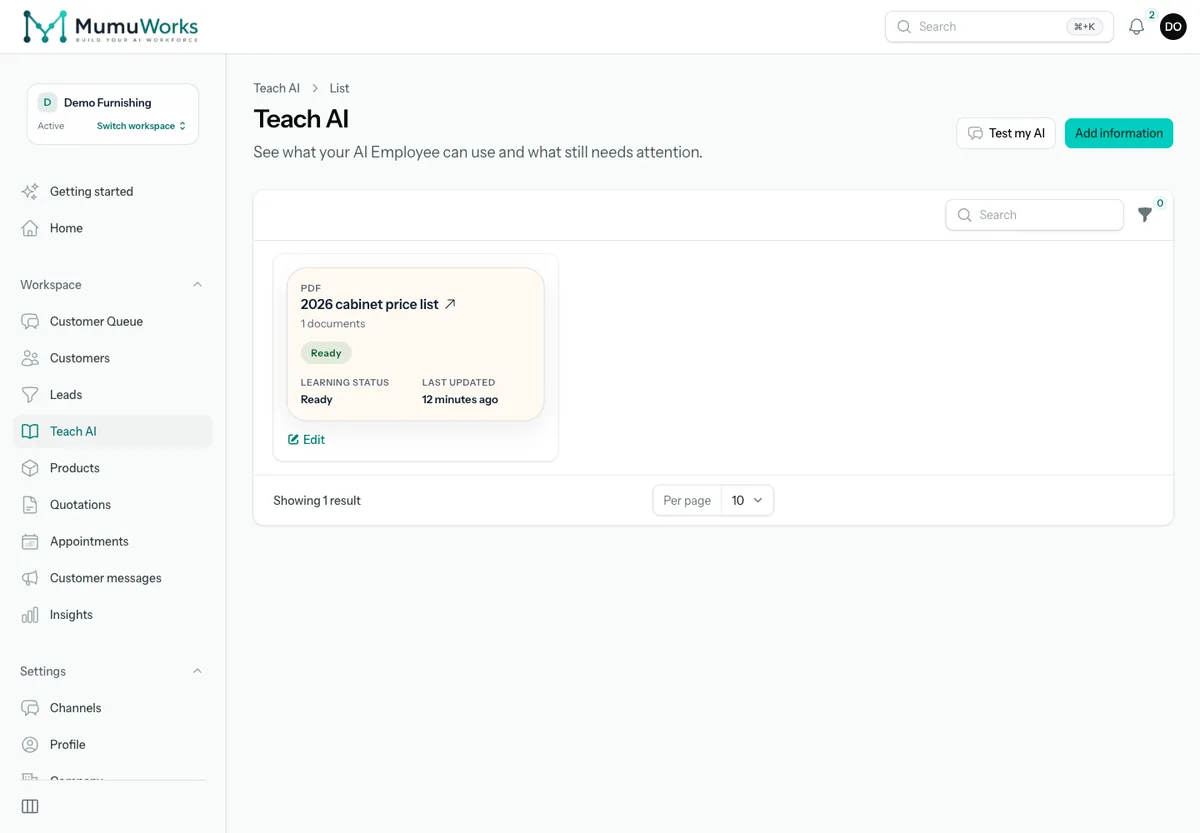
Answer everyday questions with your FAQs, products, prices, websites and documents.
For example: “Does installation include removing the old cabinets?” Answer from your approved policy.
Explore this capabilityMaterial · style · intended use
Ask about needs, explain approved product choices and share relevant materials.
For example: Compare two cabinet finishes after learning the customer’s style and intended use.
Explore this capabilityKitchen project · 4 metres · RM45,000 budget
Turn buying interest into customer requirements and opportunities your team can follow.
For example: Capture the project, budget, dimensions and missing details from a kitchen enquiry.
Explore this capability
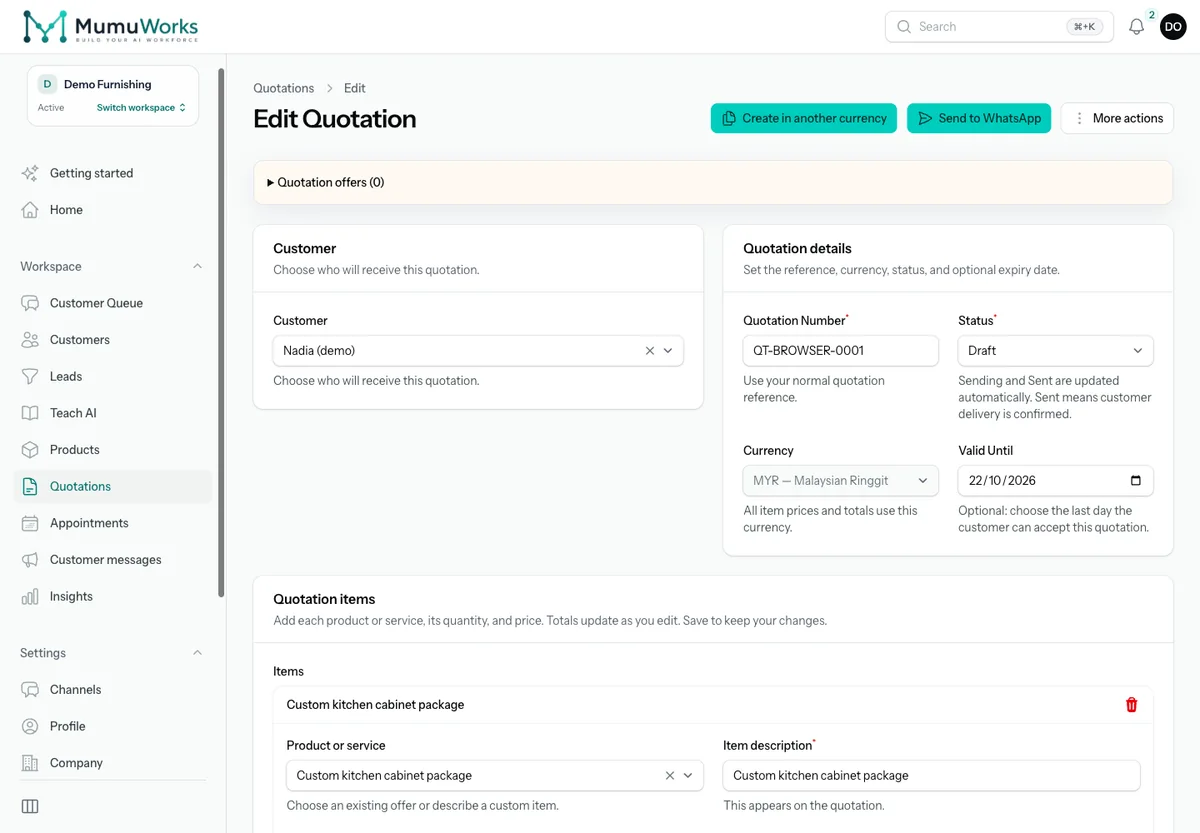
Move from confirmed requirements to a quotation using approved products and prices.
For example: Prepare the agreed cabinet package, then route approval and sending as your business requires.
Explore this capabilityOffer configured availability, book appointments and handle rescheduling or cancellation.
For example: Find a suitable showroom consultation after asking about the customer’s needs.
Explore this capabilityMinimalist style · budget known
Keep reviewable preferences, requirements and conversation history for the next conversation.
For example: Revisit a customer’s minimalist style and budget when discussing a revised quotation.
Explore this capabilityPhoto · voice note · PDF
Work with customer images, voice messages and supported documents alongside the conversation.
For example: Use a photo, a voice explanation and a specification document to clarify a customer’s enquiry.
Explore this capabilityFriday · revisit the quotation
Continue an agreed quotation or product conversation at the right time, with the reason intact.
For example: “Please check with me on Friday.” Keep the quotation and agreed timing together.
Explore this capability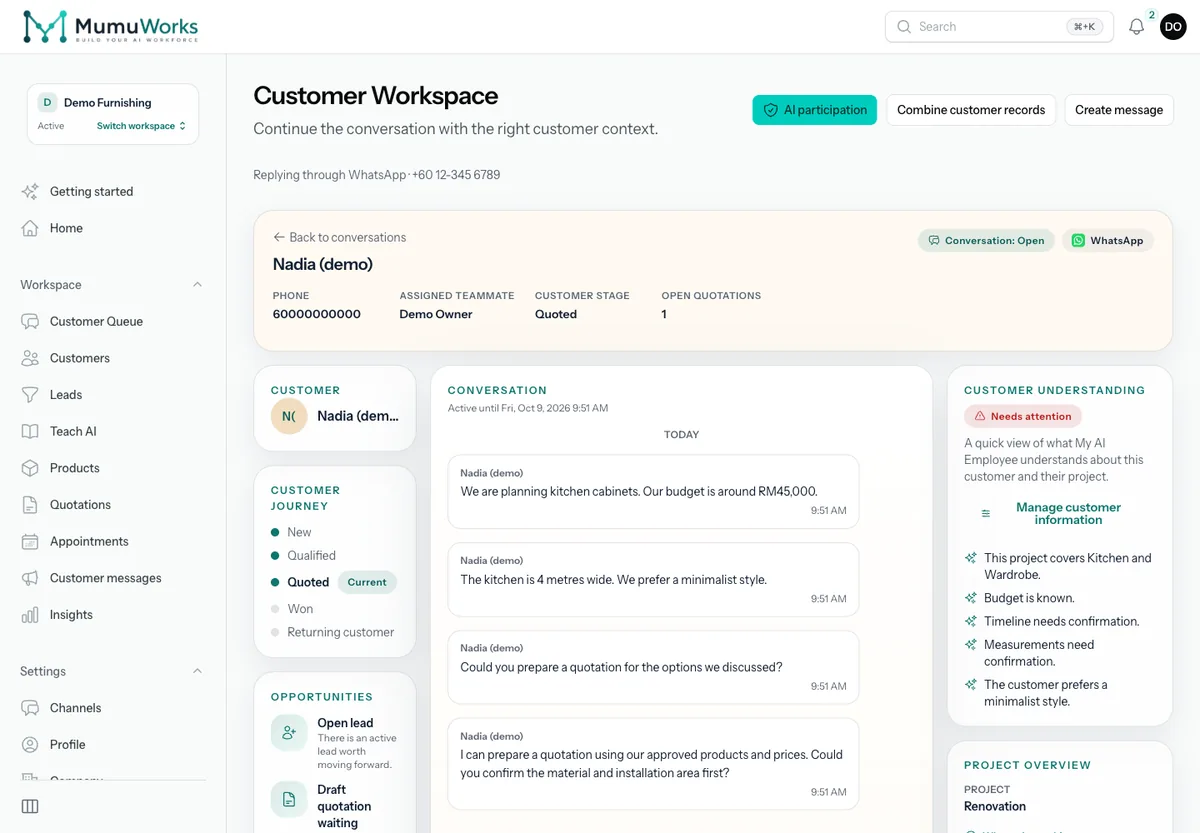
Supervise work in Customer Workspace. Take over, approve where needed and handle exceptions with context.
For example: A discount outside your rules goes to a person with the customer’s requirements attached.
Explore this capabilityConversations that become useful work
The AI Employee asks, checks and acts within the information and tools you provide. Follow these illustrative workflows to see what happens after the first answer.
From an enquiry to a quotation
Requirements captured. Quotation prepared from approved products and prices.
Preparation, approval and sending follow your quotation settings.
Ask for style, dimensions and budget.
Recommend approved options and prepare the agreed quotation.
Follow the agreed timing, or bring in your team with a clear reason.
Explain the service, ask what the customer needs, offer a configured time and confirm the appointment. Reschedule or hand over when the request falls outside your rules.
“Can I visit the showroom on Friday?”
Check the service and available resource → book the agreed time.
Illustrative conversation · fictional business and customer data
Connect your business accounts and bring customer conversations into one workspace. Start with the channel your customers use most.
Explore channels and connectionsAccount authorization, supported media and reply rules vary by channel.
Add FAQs, products and documents. Explain your style and rules.
Check an answer and the next step with Test my AI.
Verify your email, authorize a channel and activate the workflows you are ready to use.
Teach approved information, review customer context and set the rules for approvals and handover. Private workspaces and clear usage records support day-to-day supervision.
Trust CenterOur privacy commitment
Your customer conversations, documents and business knowledge deserve protection. Privacy is a core commitment behind how we build MumuWorks.
Your business has its own workspace. Access controls separate your customer records and documents from other businesses and help protect them from public access.
Your data is for running your AI Employee. Our policy prohibits using it, or sharing it with AI providers, to train general-purpose AI models.
Choose who can work in your workspace and what they can access. Permissions help keep customer conversations and business information in the right hands.
AI features send relevant content to service providers to carry out your requests. That processing is subject to provider security and retention terms. Our no-training commitment does not mean zero data retention.
Routine replies can run automatically after owner activation. Your team supervises exceptions, requests for a person and approvals under your business rules.
Start with approved FAQs, products, prices and handover rules. Check the source status and use Test my AI before turning on customer replies.
Supported connection and Business app coexistence depend on your number, account eligibility and provider authorization. Check requirements with our team before connecting.
The evaluation stops at its stated end. You choose separately whether to buy a plan. Paid plans, usage packs, provider charges and retention terms are explained on Pricing and the applicable policies.
MumuWorks
Start with the enquiries your team answers every day. Teach one workflow, see the next step and build from there.
Our vision is to help businesses delegate more everyday work to AI as MumuWorks grows.
Newsletter signup
Designed for founders, operators, and commercial leaders tracking the AI Employee category.